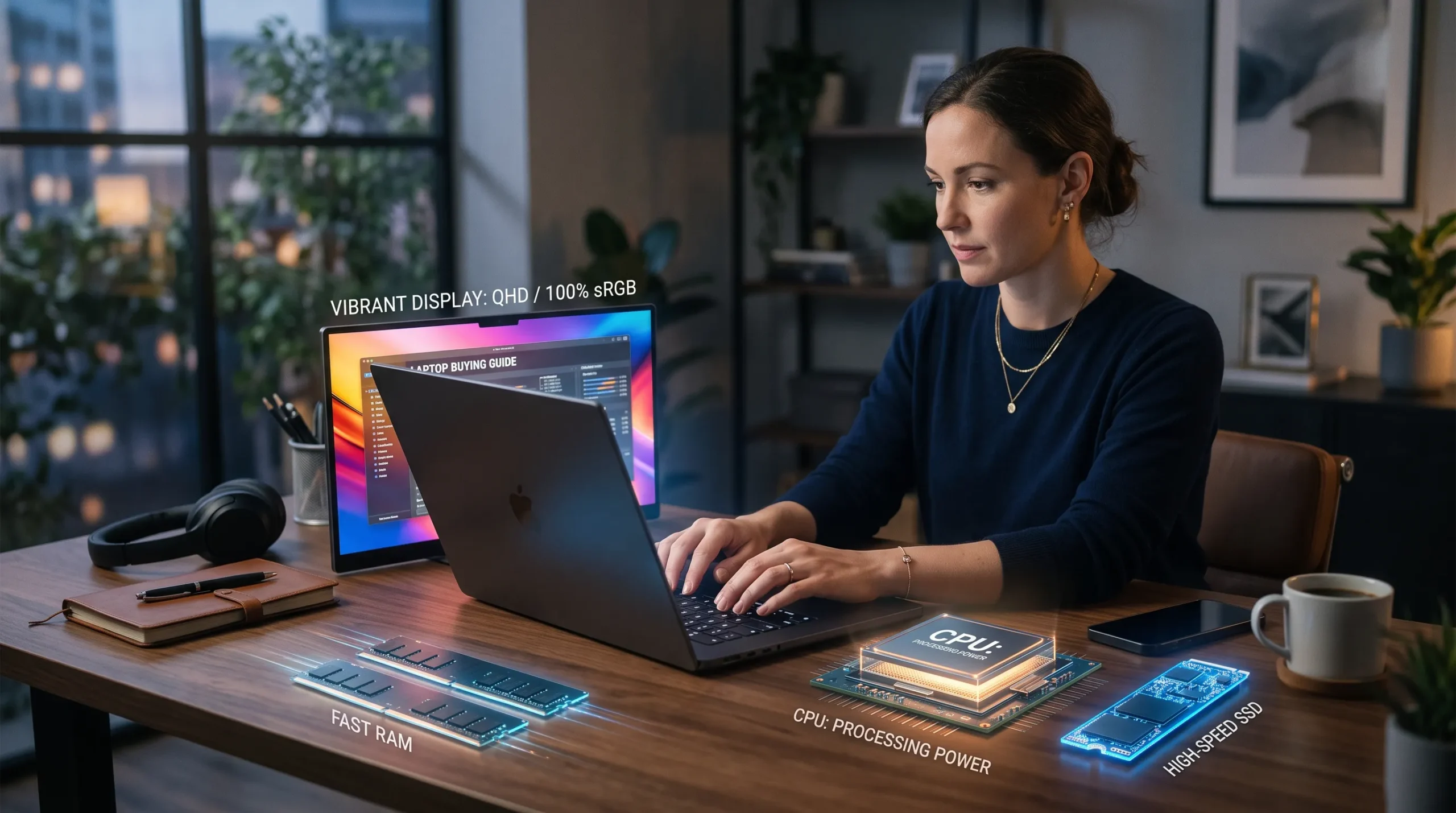
Freelancers rarely use a laptop for only one task. A normal day can include browser tabs, video calls, documents, cloud storage, client communication, research, and specialized software. The best laptop is therefore not the model with the longest specification list; it is the one that keeps your actual workflow responsive while staying within budget.

Choose the processor around your heaviest recurring task
For writers, virtual assistants, researchers, sales professionals, and many marketers, a modern mainstream processor is usually enough. Developers, data analysts, video editors, architects, and 3D artists should pay closer attention to sustained CPU performance and cooling. Processor names alone can be misleading because power limits and laptop cooling affect how long a chip can maintain speed.
Also Read: Best AI Gadgets for Men: Top Picks to Upgrade Your Lifestyle
RAM determines how comfortably you can multitask
Freelancers often keep many applications open at once. Browsers, Slack or Teams, a video meeting, cloud sync, spreadsheets, and creative tools can quickly consume memory. More RAM does not automatically make every task faster, but insufficient RAM causes slowdowns when the system starts moving active data to storage. If your work is browser-heavy or involves creative software, leave enough memory headroom for future workloads.
SSD storage affects responsiveness and working space
An SSD is essential for a modern work laptop. It improves startup time, application loading, file searches, updates, and project access. Capacity should reflect the way you store work. Cloud-first users may need less local space, while video editors, photographers, designers, and developers can fill storage quickly. Also check whether the SSD can be replaced or expanded later.
Display quality matters more than many buyers expect
Freelancers can spend eight or more hours looking at the same screen. Resolution, brightness, color quality, size, and surface finish affect comfort and usefulness. A sharp display is helpful for text and spreadsheets, while creators should care about color accuracy. A larger screen improves workspace but makes the laptop heavier, so travel frequency should influence the size decision.
Battery life should be judged against your mobility
A freelancer who works mainly from a fixed desk does not need to pay a large premium for extreme battery life. Someone moving between client offices, cafes, universities, coworking spaces, and travel locations may value efficiency far more. Battery condition also declines over time, so serviceability and charger convenience are practical considerations.
Ports can decide whether you need extra adapters
Check how you connect to monitors, projectors, storage, cameras, wired networks, and accessories. A laptop with a useful mix of USB-C, USB-A, HDMI, audio, and card-reader options can reduce the need for dongles. If you plan to use a USB-C dock, verify that the laptop supports the display output and charging features you expect.
Also Read: Microsoft Planner vs Project: Choose the Right Tool for Your Team
Graphics requirements depend on the work
Integrated graphics are sufficient for office work, browsing, coding, communication, and many light creative tasks. Dedicated graphics are more relevant for 3D work, GPU-accelerated video editing, rendering, AI workloads, and gaming. Buying a powerful GPU for basic freelance tasks increases cost, weight, heat, and power consumption without improving routine productivity.
Upgradeability can extend the useful life
Some laptops allow RAM and SSD upgrades; others use soldered memory and limited internal access. If you plan to keep a laptop for several years, serviceability can be valuable. Even when memory is fixed, an upgradeable SSD or replaceable battery can make maintenance easier.
Keyboard, webcam, and build quality affect everyday work
A strong specification sheet cannot compensate for an uncomfortable keyboard, weak trackpad, poor webcam, or fragile hinge if those features are used every day. Freelancers who write heavily should test keyboard feel when possible. People who spend hours in video meetings should prioritize camera and microphone quality or plan for an external setup.
Balance the configuration instead of maximizing one component

A laptop with a very fast processor but too little RAM, a tiny SSD, and a poor display is not a balanced purchase. It is usually better to choose a slightly lower CPU tier with enough memory, practical storage, a comfortable screen, and the ports you need. Balanced systems tend to remain useful longer because fewer daily tasks run into obvious bottlenecks.
A simple specification starting point
There is no universal specification that suits every freelancer. The table below is better used as a decision framework than a rigid rule:
| Work Type | Prioritize | Watch For |
| Writing, VA, research | Balanced CPU, adequate RAM, SSD, comfortable keyboard | Overpaying for dedicated graphics |
| Development | CPU, RAM, SSD, ports, external display support | Too little memory or storage |
| Design / photo | Display quality, RAM, SSD, GPU where needed | Weak color accuracy |
| Video editing | CPU, RAM, SSD capacity, dedicated GPU | Thermals and storage limits |
| Travel-heavy work | Battery, weight, charger, Wi-Fi, build quality | Large heavy chassis |
Where to compare laptops in Pakistan
Once you know the workload, compare complete configurations instead of searching by processor name alone. Victory Computer is one place to review laptop and computer options for the Pakistani market, including systems aimed at students, professionals, creators, and gamers.
Final checklist before buying
- List the three heaviest applications you use every week.
- Choose enough RAM for multitasking rather than the bare minimum.
- Buy SSD capacity with room for future files and updates.
- Check screen size, brightness, and color needs.
- Verify the ports required for your monitor and accessories.
- Confirm whether RAM, SSD, and battery are serviceable.
- Compare warranty and support as part of the total purchase decision.
Conclusion
Freelancers should buy a laptop as a work tool, not as a collection of impressive component names. Start with the workload, remove the likely bottlenecks, and spend the remaining budget on display quality, battery life, ports, and build features that improve the way you actually work every day.
FAQS
For most freelancers, a thin-and-light ultrabook (13–14 inch) with a modern multi‑core CPU, 16–32 GB RAM, 512 GB–1 TB SSD, and a good 1080p/1440p IPS or OLED display is the sweet spot for portability, battery life, and performance.
Writers/researchers: prioritize keyboard, battery, and a crisp 1080p+ screen; 16 GB RAM and 512 GB SSD are usually enough.
Designers/video editors: aim for 32 GB RAM, 1 TB SSD, and a color‑accurate high‑resolution display (OLED/mini‑LED if possible).
Developers/data work: favor strong CPU, 32 GB RAM, 1 TB SSD, and good thermals; 14–16 inch screens help with multitasking.
RAM: 16 GB is the practical minimum for comfortable multitasking in 2026; 32 GB is better if you run many browser tabs, design tools, VMs, or local dev environments.
SSD: 512 GB is a solid baseline; choose 1 TB (or more) if you store large project files, media, or multiple toolchains locally.
As a rule of thumb: general freelance work = 16 GB + 512 GB; heavy creative/dev workloads = 32 GB + 1 TB.
13th Gen Intel laptops are better for demanding workloads: they offer more cores (especially efficiency cores), higher clocks, and improved multi‑threaded performance, which helps with video encoding, compiling, and heavy multitasking.
Choose 13th Gen if you do video editing, 3D work, data tasks, or want extra headroom for the next few years.
Choose 12th Gen if your budget is tight and your work is mostly docs, web, email, and light creative tasks; it’s still very capable and often cheaper.
Neither brand is universally “better”; it depends on the specific series and your needs.
HP strengths: strong value in mid‑range (e.g., HP 14/15 series), good displays, and frequent bundles (e.g., Office).
Dell strengths: broad business lineup (Latitude, XPS), solid build quality, and good support options for professionals.
For freelancers, compare exact models (CPU/RAM/SSD/display/ports/warranty) rather than brand alone.
There isn’t a single “No. 1” brand for everyone; rankings shift by category (business, gaming, budget, premium) and year.
Recent 2026 “best for freelancers” lists highlight different winners depending on testing criteria, with picks ranging from Acer Aspire AI to HP 14/15 and MacBook Air M3 for portability and battery.
Instead of chasing “No. 1,” match the laptop to your workload, budget, and display/keyboard preferences.
ThinkPad (Lenovo) and Dell are both excellent; ThinkPads are famous for keyboards, durability, and Linux/business friendliness, while Dell’s XPS/Latitude lines offer premium builds, strong displays, and wide service networks.
Choose ThinkPad if you type a lot, value repairability/upgradability, or need a proven business chassis.
Choose Dell (XPS/Latitude) if you prioritize screen quality, sleek design, or specific support/enterprise features.
Again, compare specific configurations (CPU/RAM/SSD/display/ports) within your budget.


2 Comments on “Laptop Buying Guide for Freelancers: CPU, RAM, SSD and Display Explained”
Comments are closed.