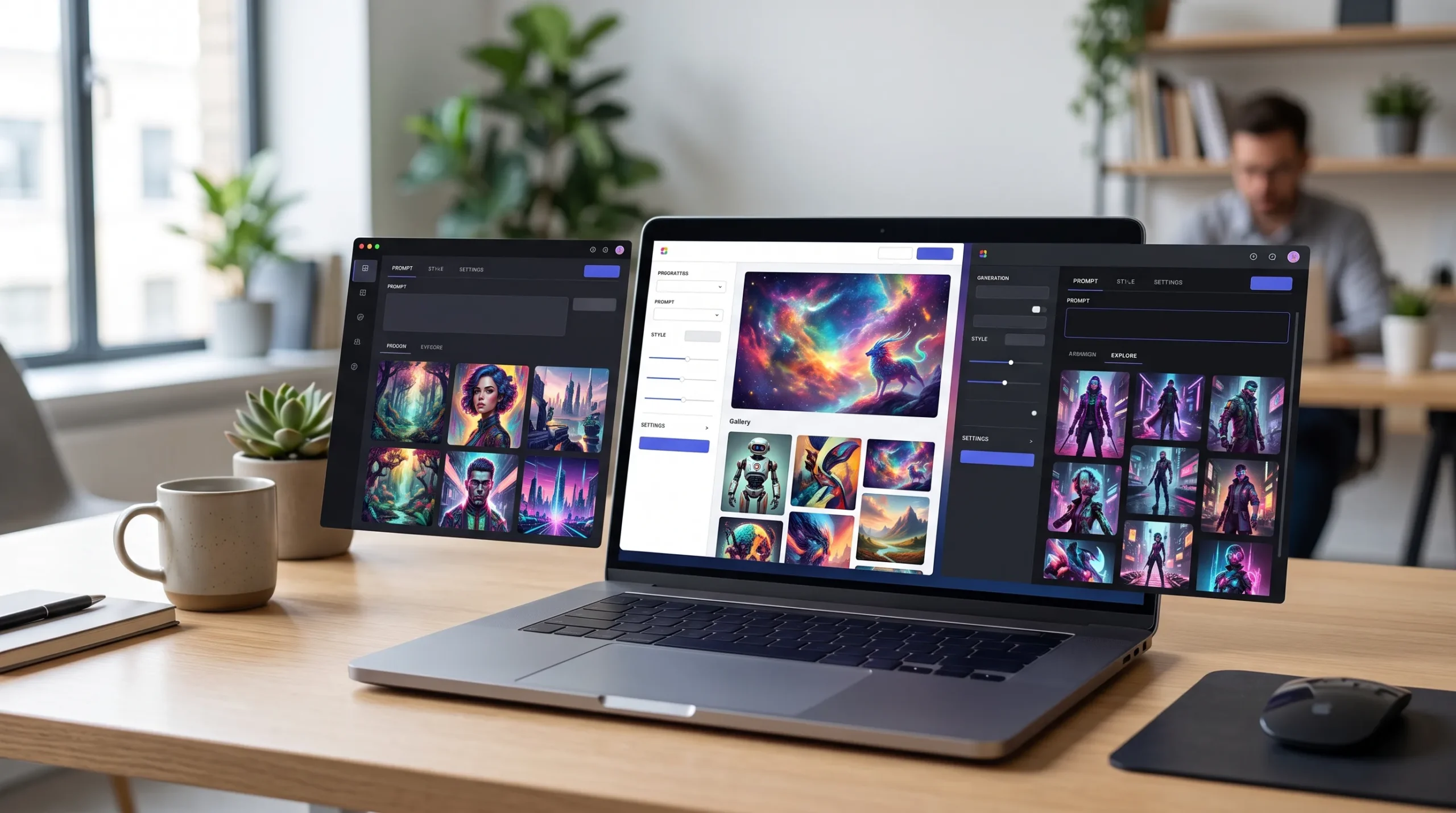
Artificial intelligence has transformed how people create digital images. In 2026, AI image generators have become faster, more realistic, and easier to use than ever before. Many people use these tools for digital art, character design, concept art, storytelling, game development, and creative projects. While many AI image generators include content filters, some users prefer platforms that offer more creative freedom or allow them to run models locally with greater control over the output. If you are searching for the best free uncensored NSFW AI image generators 2026, you are probably looking for tools that provide high-quality image generation, flexible customization, and free access without unnecessary limitations. However, each platform offers its own features and works in a different way. Some are completely browser-based, while others let you install the software on your own computer and choose the AI models you want to use.
In this guide, we carefully compare some of the most popular AI image generators available in 2026. Instead of simply listing tools, we explain their features, strengths, limitations, ease of use, pricing, and who they are best suited for. We also compare image quality, speed, customization options, and overall user experience so you can choose the right tool for your needs.
Whether you are a beginner trying AI for the first time or an experienced creator looking for more control, this guide will help you find an option that matches your workflow.
Quick Comparison Table
| AI Image Generator | Free Version | Sign Up Required | Image Quality | Speed | Open Source | Best For |
|---|---|---|---|---|---|---|
| Stable Diffusion | Yes | No (Local) | ⭐⭐⭐⭐⭐ | Fast | Yes | Full customization |
| FLUX | Yes | Depends on platform | ⭐⭐⭐⭐⭐ | Very Fast | Yes | Highly realistic images |
| ComfyUI | Yes | No | ⭐⭐⭐⭐⭐ | Fast | Yes | Advanced workflows |
| AUTOMATIC1111 | Yes | No | ⭐⭐⭐⭐⭐ | Fast | Yes | Power users |
| Forge WebUI | Yes | No | ⭐⭐⭐⭐⭐ | Very Fast | Yes | Better performance |
| InvokeAI | Yes | No | ⭐⭐⭐⭐☆ | Fast | Yes | Creative professionals |
| Fooocus | Yes | No | ⭐⭐⭐⭐⭐ | Fast | Yes | Beginners |
| Draw Things | Yes | No | ⭐⭐⭐⭐☆ | Fast | No | Mac and iPhone users |
| Civitai | Yes | Yes | ⭐⭐⭐⭐⭐ | Depends on model | No | Community AI models |
| Hugging Face Spaces | Yes | Sometimes | ⭐⭐⭐⭐☆ | Medium | No | Online testing |
| Mage.Space | Yes | Optional | ⭐⭐⭐⭐☆ | Fast | No | Browser-based generation |
| Tensor.Art | Yes | Yes | ⭐⭐⭐⭐⭐ | Fast | No | Large model library |
| OpenArt | Yes | Yes | ⭐⭐⭐⭐☆ | Fast | No | Easy online image creation |
| Janus Pro | Yes | Depends on platform | ⭐⭐⭐⭐☆ | Fast | Yes | Multimodal AI |
| Easy Diffusion | Yes | No | ⭐⭐⭐⭐☆ | Medium | Yes | Simple local installation |
What Is an Uncensored NSFW AI Image Generator?

An uncensored NSFW AI image generator is an AI tool that gives users more control over the images they create compared to platforms that apply stricter content filters. Every AI image generator follows its own set of rules and usage policies. Some automatically block certain prompts or outputs, while others allow users to decide which AI models and settings to use, especially when the software is installed and run on their own computer.
It is important to understand that “uncensored” does not mean “without any rules.” Every platform sets its own terms and conditions for users. Some online tools may still restrict certain types of content, while many open-source AI models allow greater flexibility when used responsibly on your own device.
Most modern AI image generators work by turning a text prompt into an image. You simply describe what you want to create, and the AI uses a trained model to generate artwork based on your description. The better your prompt, the better the final image is likely to be.
Here are the main types of AI image generators available in 2026:
Browser-Based AI Generators
These tools work directly in your web browser. You don’t need to install any software, making them a good choice for beginners. Most offer a free plan with daily image limits, while premium plans provide faster generation and additional features.
Best for:
- New users
- Quick image creation
- No software installation
- Low-end computers
Open-Source AI Generators
Open-source tools let you download the software and run it on your own computer. They usually offer the highest level of customization because you can install different AI models, LoRAs, and extensions.
Best for:
- Advanced users
- Full customization
- Offline image generation
- Greater privacy
Cloud-Based AI Platforms
These platforms perform all image generation on powerful remote servers. You don’t need a high-end graphics card because the processing happens in the cloud. Many cloud platforms provide free credits each day, with paid plans for higher usage.
Best for:
- Fast image generation
- High-quality results
- Users without powerful hardware
Local AI Models
Running AI models locally means the software is installed on your own computer. This gives you more control over settings, models, and generated images while keeping your work private. However, it usually requires a modern GPU and enough storage space.
Benefits of local AI:
- More control over the workflow
- Better privacy
- No daily generation limits
- Support for custom models
- Works without an internet connection after installation
When choosing an AI image generator, don’t focus only on whether it is “uncensored.” Other factors such as image quality, generation speed, ease of use, privacy, hardware requirements, and community support are equally important. A well-supported platform with regular updates and a large community often provides a better long-term experience than one that simply advertises fewer restrictions.
How We Tested These AI Image Generators

To make this guide useful and fair, each generator was evaluated using the same set of criteria. Rather than focusing on a single feature, we evaluated the overall user experience, including ease of setup, image quality, and customization options.
Image Quality
Our first step was to evaluate how realistic and detailed the generated images appeared. We tested different prompt styles, including portraits, landscapes, anime, fantasy art, illustrations, and photorealistic scenes. We also assessed how effectively each tool produced accurate lighting, natural textures, balanced colors, and fine visual details.
Prompt Accuracy
A reliable AI image generator should accurately understand and follow your text prompts. We tested simple prompts as well as detailed prompts to see how closely each generated image matched the original description.
Generation Speed
Nobody likes waiting a long time for an image. We compared how quickly each platform generated images under normal conditions. Speed can vary depending on server load for online tools or your computer’s hardware for local installations.
Free Features
Because this guide is about free AI image generators, we focused on the features users can access at no cost. Our evaluation included:
- Daily generation limits
- Watermarks policies
- Available AI models
- Image resolution
- Access to advanced features
Ease of Use
Some AI tools are designed for beginners, while others are built for experienced users. We evaluated how easy each platform is to install, navigate, and use for someone who is new to AI image generation.
Customization
Advanced users often want more control over the final result. We checked whether each tool supports features such as:
- Custom AI models
- LoRA support
- Image-to-image generation
- Inpainting
- Upscaling
- Prompt weighting
- Batch generation
Privacy
Privacy is important, especially when using AI tools. We reviewed whether images are generated locally or on cloud servers, whether prompts may be stored, and what level of control users have over their data.
Community and Updates
Finally, we looked at how active each project’s community is. Tools with regular updates, good documentation, and a large user community are generally easier to learn and more likely to improve over time.
Using these evaluation criteria helped us compare each AI image generator consistently, so you can better understand which tool fits your needs, whether you’re looking for simplicity, customization, speed, or high-quality results.
Best Free Uncensored NSFW AI Image Generators in 2026
Each AI image generator offers its own features and advantages. Some are designed for beginners who want to create images in just a few clicks, while others give experienced users complete control over every setting. Below, we review the best free AI image generators available in 2026 based on image quality, ease of use, customization, performance, and overall value.
1. Stable Diffusion – Best Overall Free AI Image Generator
Stable Diffusion remains one of the most popular AI image generators in 2026. It is open source, free to use, and supported by one of the largest AI communities in the world. Because you can run it on your own computer, you have complete control over the models, settings, and generated images.
Thousands of custom checkpoints, LoRAs, and extensions are available, allowing you to create everything from realistic portraits to anime, fantasy artwork, architecture, game assets, and digital illustrations.
One of the biggest advantages of Stable Diffusion is its flexibility. You can use beginner-friendly interfaces or advanced applications depending on your experience level.
Key Features
- Completely free and open source
- Supports text-to-image and image-to-image generation
- Thousands of community-created AI models
- Works offline after installation
- Supports LoRA, ControlNet, and inpainting
- Large developer community
- Regular updates
Pros
- Excellent image quality
- Unlimited image generation on your own computer
- Huge model library
- Strong community support
- Highly customizable
- No subscription required
Cons
- Requires installation
- A dedicated GPU is recommended for the best performance
- Beginners may need time to learn the interface
Free Plan
Yes. Stable Diffusion is completely free to download and use.
Supported Models
- SDXL
- Stable Diffusion 1.5
- Stable Diffusion XL Turbo
- FLUX-compatible workflows (through supported interfaces)
- Thousands of custom community checkpoints
Best For
- Digital artists
- Designers
- AI hobbyists
- Developers
- Users who want maximum customization
Pricing
Free
Overall Rating
⭐⭐⭐⭐⭐ 5/5
Why We Recommend It
If you want full control over your AI image generation workflow without paying a monthly subscription, Stable Diffusion is one of the best choices available. Its open-source nature, active community, and endless customization options make it suitable for both beginners and advanced users.
2. FLUX – Best for Highly Realistic AI Images
FLUX has become one of the most talked-about AI image models because of its ability to generate highly realistic images with excellent prompt understanding. It performs especially well when creating detailed portraits, cinematic scenes, product images, and realistic environments.
Compared to many older models, FLUX understands complex prompts more accurately and often produces cleaner results with fewer generation errors.
Several websites offer free access to FLUX, while advanced users can also run compatible versions locally depending on their hardware and software setup.
Key Features
- Excellent prompt accuracy
- Highly realistic image generation
- Sharp details and natural lighting
- Strong performance with long prompts
- Supports multiple artistic styles
- Frequently updated by the community
Pros
- Outstanding image quality
- Better prompt understanding than many older models
- Great for realistic artwork
- Produces clean and detailed images
- Free options are available on several platforms
Cons
- Some online platforms have daily generation limits
- Local setup may require a powerful GPU
- Availability depends on the platform you choose
Free Plan
Yes, many platforms offer limited free generations.
Supported Models
- FLUX Dev
- FLUX Schnell
- Community fine-tuned models
Best For
- Photorealistic portraits
- Product images
- Digital illustrations
- Creative professionals
- High-quality concept art
Pricing
Free plans available. Premium plans vary by platform.
Overall Rating
⭐⭐⭐⭐⭐ 5/5
Why We Recommend It
If your priority is image realism and prompt accuracy, FLUX is one of the strongest AI image models available in 2026. It consistently delivers impressive results and is an excellent choice for creators who want professional-looking images.
3. ComfyUI – Best for Advanced Custom Workflows
ComfyUI is designed for users who want complete control over every step of the image generation process. Instead of using a simple interface with buttons and menus, it uses a visual node-based workflow where you connect different components to build custom AI pipelines.
Although it has a steeper learning curve than many other tools, ComfyUI offers unmatched flexibility. You can create highly customized workflows for text-to-image generation, image editing, upscaling, ControlNet, LoRAs, animations, and much more.
Many experienced AI creators prefer ComfyUI because it allows them to automate repetitive tasks and fine-tune every part of the generation process.
Key Features
- Node-based workflow system
- Supports advanced AI pipelines
- Compatible with many AI models
- LoRA and ControlNet support
- Image-to-image editing
- Batch generation
- Workflow sharing with the community
Pros
- Extremely flexible
- Excellent performance
- Supports advanced workflows
- Large community
- Frequent updates
- Free and open source
Cons
- Not beginner-friendly
- Requires some learning before becoming comfortable
- Best performance requires a capable GPU
Free Plan
Yes. ComfyUI is completely free.
Supported Models
- Stable Diffusion
- SDXL
- FLUX
- Custom checkpoints
- Community LoRAs
Best For
- Advanced users
- AI developers
- Professional artists
- Workflow automation
- Power users
Pricing
Free
Overall Rating
⭐⭐⭐⭐⭐ 4.9/5
Why We Recommend It
ComfyUI is one of the most powerful AI image generation tools available today. If you’re willing to spend time learning its workflow system, it offers an incredible level of customization and can handle almost any AI image generation task.
4. AUTOMATIC1111 – Best for Advanced Features and Extensions
AUTOMATIC1111 is one of the most popular web interfaces for Stable Diffusion. It gives users access to hundreds of settings and features without requiring programming knowledge. Over the years, it has become a favorite among AI artists because of its flexibility and large collection of community-made extensions.
Whether you want to create realistic portraits, anime characters, fantasy artwork, or edit existing images, AUTOMATIC1111 provides all the tools in one place. It also supports custom models, making it suitable for users who like experimenting with different AI styles.
Key Features
- Free and open source
- User-friendly web interface
- Supports text-to-image and image-to-image generation
- Inpainting and outpainting
- LoRA and ControlNet support
- Hundreds of community extensions
- Batch image generation
Pros
- Highly customizable
- Large extension library
- Works with many AI models
- Active community support
- Regular updates
- Excellent image quality
Cons
- Can feel overwhelming for beginners
- Requires local installation
- Best performance needs a dedicated GPU
Free Plan
Yes. Completely free.
Supported Models
- Stable Diffusion 1.5
- SDXL
- Community checkpoints
- FLUX-compatible workflows
Best For
- Advanced users
- AI enthusiasts
- Artists who want maximum control
Pricing
Free
Overall Rating
⭐⭐⭐⭐⭐ 4.9/5
Why We Recommend It
AUTOMATIC1111 is an excellent choice if you want access to advanced features and a huge ecosystem of extensions. It offers one of the most complete AI image generation experiences available.
5. Forge WebUI – Best for Faster Performance
Forge WebUI is a modern alternative to AUTOMATIC1111 that focuses on better speed and hardware optimization. It offers a familiar interface while improving memory usage and generation performance, especially on computers with limited VRAM.
Many users have switched to Forge because it runs newer AI models more efficiently and provides a smoother overall experience.
Key Features
- Optimized performance
- Better VRAM management
- Supports SDXL and FLUX workflows
- Compatible with many AUTOMATIC1111 extensions
- Modern interface
- Regular performance improvements
Pros
- Faster image generation
- Efficient GPU usage
- Easy to install
- Supports popular AI models
- Stable performance
Cons
- Smaller community than AUTOMATIC1111
- Some extensions may not be fully compatible
Free Plan
Yes.
Supported Models
- Stable Diffusion
- SDXL
- FLUX
- Community checkpoints
Best For
- Users with mid-range GPUs
- Faster AI generation
- Local AI workflows
Pricing
Free
Overall Rating
⭐⭐⭐⭐⭐ 4.8/5
Why We Recommend It
If performance matters most, Forge WebUI is a great option. It delivers faster image generation while maintaining compatibility with many popular AI models and workflows.
6. InvokeAI – Best for Creative Professionals
InvokeAI is designed for creators who want a clean interface without giving up powerful editing tools. It combines professional features with an organized workspace, making it a popular choice among designers, illustrators, and content creators.
Unlike some advanced AI tools, InvokeAI keeps the interface simple while still offering features like inpainting, image editing, and custom model support.
Key Features
- Modern user interface
- Canvas-based image editing
- Inpainting and outpainting
- Local image generation
- Model management tools
- Regular updates
Pros
- Beginner-friendly interface
- Powerful editing features
- Good documentation
- Active development
- High-quality image output
Cons
- Requires installation
- Some advanced features take time to learn
Free Plan
Yes.
Supported Models
- Stable Diffusion
- SDXL
- Community models
- LoRA support
Best For
- Designers
- Creative professionals
- Digital artists
- Beginners looking for a clean interface
Pricing
Free
Overall Rating
⭐⭐⭐⭐☆ 4.8/5
Why We Recommend It
InvokeAI offers an excellent balance between simplicity and powerful editing tools, making it a strong choice for users who want professional results without a cluttered interface.
7. Fooocus – Best for Beginners
Fooocus was created to make AI image generation as simple as possible. Instead of asking users to adjust dozens of technical settings, it automatically chooses the best options for most prompts.
This makes it one of the easiest AI image generators for people who are just starting with AI art. Simply enter a prompt, choose a style, and let the software do the rest.
Despite its simplicity, Fooocus still produces impressive image quality using modern AI models.
Key Features
- Very easy to use
- Automatic image optimization
- High-quality results
- Supports realistic and artistic styles
- Local installation
- Beginner-friendly interface
Pros
- Minimal learning curve
- Excellent image quality
- Automatic settings
- Free and open source
- Fast generation
Cons
- Fewer advanced controls
- Limited customization compared to ComfyUI
Free Plan
Yes.
Supported Models
- SDXL
- Stable Diffusion
- Community checkpoints
Best For
- Beginners
- Hobbyists
- Users who want quick image creation
Pricing
Free
Overall Rating
⭐⭐⭐⭐⭐ 4.9/5
Why We Recommend It
Fooocus is one of the best AI image generators for beginners because it delivers great results without requiring users to understand complex settings or workflows.
8. Draw Things – Best for Apple Users
Draw Things is a popular AI image generation app built specifically for Apple devices. It allows users to generate images directly on supported Macs, iPhones, and iPads without relying entirely on cloud servers.
The app is known for its smooth performance, simple interface, and support for several popular AI models. Because much of the processing happens on the device, users also benefit from better privacy.
Key Features
- Designed for macOS, iPhone, and iPad
- On-device AI image generation
- Supports multiple AI models
- Image editing tools
- Regular updates
- Clean interface
Pros
- Optimized for Apple hardware
- Easy to use
- Good privacy
- Fast image generation on supported devices
- Free to download
Cons
- Limited to Apple devices
- Performance depends on the device model
Free Plan
Yes.
Supported Models
- Stable Diffusion
- SDXL
- Community models
Best For
- Mac users
- iPhone users
- iPad creators
- Beginners
Pricing
Free
Overall Rating
⭐⭐⭐⭐☆ 4.7/5
Why We Recommend It
If you use Apple devices and want a smooth AI image generation experience without complicated setup, Draw Things is one of the best free options available.
9. Civitai – Best for Community AI Models
Civitai is one of the largest communities for AI image creators. Instead of being just an image generator, it is a platform where users can discover, download, and share AI models, LoRAs, embeddings, and workflows. Many creators use Civitai alongside Stable Diffusion or other compatible software to improve the quality and style of their images.
The platform includes thousands of community-created models covering realistic photography, anime, fantasy, illustrations, cinematic art, and many other styles.
Key Features
- Huge collection of AI models
- Community-created LoRAs
- Prompt examples
- Workflow sharing
- Model ratings and reviews
- Regular updates
Pros
- Massive model library
- Active community
- Easy to discover new styles
- Helpful prompt examples
- Free access to many resources
Cons
- Requires another compatible AI generator for local use
- Some advanced models may need powerful hardware
Free Plan
Yes.
Supported Models
- Stable Diffusion
- SDXL
- FLUX-compatible models
- Thousands of community checkpoints
Best For
- Finding custom AI models
- Creative experimentation
- Advanced users
- Digital artists
Pricing
Free with optional premium features.
Overall Rating
⭐⭐⭐⭐⭐ 4.9/5
Why We Recommend It
Civitai is one of the best places to discover high-quality community AI models and improve your image generation workflow with new styles and techniques.
10. Hugging Face Spaces – Best for Trying AI Models Online
Hugging Face Spaces allows users to test many AI applications directly from a web browser. It hosts thousands of AI demos created by developers around the world, including text-to-image generators, image editors, and experimental AI tools.
It is an excellent platform for exploring new AI models before deciding whether to install them locally.
Key Features
- Browser-based AI tools
- Thousands of community projects
- No installation required
- Supports many AI models
- Frequent updates
Pros
- Easy to use
- Great for testing new AI models
- Large developer community
- Free access to many demos
Cons
- Performance depends on server availability
- Some demos have waiting queues
- Features vary between projects
Free Plan
Yes.
Supported Models
- Stable Diffusion
- SDXL
- FLUX
- Community AI models
Best For
- Beginners
- Testing AI tools
- Learning about AI
Pricing
Mostly free.
Overall Rating
⭐⭐⭐⭐☆ 4.7/5
Why We Recommend It
Hugging Face Spaces makes it easy to explore a wide range of AI image generation tools without downloading software or setting up your own environment.
11. Mage.Space – Best Browser-Based AI Image Generator
Mage.Space is a browser-based AI image generator that allows users to create images without installing software. Its simple interface makes it a good option for beginners, while advanced prompt options provide additional flexibility for experienced users.
Because everything runs online, users can generate images from almost any device with an internet connection.
Key Features
- Browser-based
- No installation
- Fast image generation
- Multiple artistic styles
- Simple interface
Pros
- Quick setup
- Beginner-friendly
- Works on most devices
- Free daily image generation
Cons
- Free usage limits
- Internet connection required
- Premium features require a subscription
Free Plan
Yes.
Supported Models
- Stable Diffusion
- SDXL
- Various hosted AI models
Best For
- Casual users
- Beginners
- Quick image creation
Pricing
Free with paid upgrades.
Overall Rating
⭐⭐⭐⭐☆ 4.6/5
Why We Recommend It
Mage.Space is a solid choice for users who want a simple online AI image generator without dealing with installation or hardware requirements.
12. Tensor.Art – Best for Large AI Model Library
Tensor.Art has become popular because it offers access to a huge collection of AI models through an easy-to-use web interface. Users can explore different artistic styles, realistic photography models, anime models, and creative checkpoints without installing anything.
The platform also includes community galleries that can inspire new prompt ideas.
Key Features
- Large model library
- Browser-based generation
- Community galleries
- Prompt examples
- Daily free credits
Pros
- Excellent image quality
- Easy model switching
- User-friendly interface
- Active community
Cons
- Daily generation limits
- Queue times during busy periods
Free Plan
Yes.
Supported Models
- SDXL
- FLUX
- Stable Diffusion
- Community checkpoints
Best For
- Exploring different AI styles
- Creative experimentation
- Beginners
Pricing
Free with optional premium plans.
Overall Rating
⭐⭐⭐⭐⭐ 4.8/5
Why We Recommend It
Tensor.Art is one of the easiest ways to experiment with different AI models and artistic styles without installing software.
13. OpenArt – Best for Simple Online AI Creation
OpenArt offers a clean interface that helps users create AI-generated images quickly. It supports different artistic styles and includes prompt suggestions to help beginners write better image descriptions.
The platform regularly adds new AI models and creative tools.
Key Features
- Browser-based platform
- Prompt assistance
- Multiple AI models
- Easy navigation
- Fast image generation
Pros
- Beginner-friendly
- Modern interface
- Good image quality
- Helpful prompt suggestions
Cons
- Free credits are limited
- Advanced features require a paid plan
Free Plan
Yes.
Supported Models
- Stable Diffusion
- SDXL
- Various hosted models
Best For
- Beginners
- Content creators
- Designers
Pricing
Free with premium options.
Overall Rating
⭐⭐⭐⭐☆ 4.6/5
Why We Recommend It
OpenArt is a great choice for users who want an easy online AI image generator with a clean design and helpful prompt features.
14. Janus Pro – Best for Multimodal AI
Janus Pro is a newer AI model designed to handle multiple types of tasks, including understanding text and images. While it is not focused only on image generation, it has shown impressive capabilities in creating high-quality visuals based on detailed prompts.
Its multimodal design makes it useful for research, creative projects, and advanced AI workflows.
Key Features
- Multimodal AI
- Strong prompt understanding
- Modern architecture
- High-quality image generation
- Supports complex instructions
Pros
- Advanced AI capabilities
- Excellent prompt interpretation
- High-quality results
- Regular improvements
Cons
- Availability depends on supported platforms
- Fewer beginner tutorials
Free Plan
Available on selected platforms.
Supported Models
- Janus Pro
- Community integrations
Best For
- Researchers
- AI enthusiasts
- Advanced users
Pricing
Varies by platform.
Overall Rating
⭐⭐⭐⭐☆ 4.5/5
Why We Recommend It
Janus Pro is worth exploring if you’re interested in next-generation AI models that combine image generation with broader multimodal capabilities.
15. Easy Diffusion – Best for Simple Local Installation
Easy Diffusion is designed for users who want to run AI image generation locally without dealing with complicated setup steps. It provides a straightforward installation process and an easy web interface, making it a good choice for beginners who want to use Stable Diffusion on their own computer.
Key Features
- Easy installation
- Local image generation
- Web-based interface
- Supports custom models
- Beginner-friendly
Pros
- Simple setup
- Free to use
- Works offline after installation
- Good documentation
- Supports popular AI models
Cons
- Fewer advanced features than ComfyUI or AUTOMATIC1111
- Performance depends on your hardware
Free Plan
Yes.
Supported Models
- Stable Diffusion
- SDXL
- Community checkpoints
Best For
- Beginners
- Home users
- Offline AI image generation
Pricing
Free
Overall Rating
⭐⭐⭐⭐☆ 4.7/5
Why We Recommend It
Easy Diffusion is an excellent option for users who want the benefits of local AI image generation without a complicated installation process.
Our Top Picks at a Glance
| Category | Best Choice |
|---|---|
| Best Overall | Stable Diffusion |
| Best for Realistic Images | FLUX |
| Best for Beginners | Fooocus |
| Best Advanced Workflow | ComfyUI |
| Best Performance | Forge WebUI |
| Best Professional Editing | InvokeAI |
| Best Apple Users | Draw Things |
| Best Community Models | Civitai |
| Best Browser-Based | Mage.Space |
| Best Online Model Library | Tensor.Art |
Which AI Image Generator Produces the Most Realistic Images?
Not every AI image generator creates images with the same level of realism. Some models are better at creating human faces, while others perform better with landscapes, fantasy scenes, anime, or product images. The best choice depends on the type of images you want to create.
Below is a comparison of the top AI image generators based on different creative needs.
| Use Case | Recommended AI Generator | Why It Stands Out |
|---|---|---|
| Photorealistic Portraits | FLUX | Excellent prompt understanding and realistic facial details |
| Overall Image Quality | Stable Diffusion | Huge model library and consistent high-quality results |
| Professional Artwork | ComfyUI | Advanced workflows for maximum control |
| Fast Image Generation | Forge WebUI | Optimized performance and efficient resource usage |
| Easy High-Quality Results | Fooocus | Produces great images with minimal setup |
| Online Image Creation | Tensor.Art | Large collection of hosted AI models |
| Creative Editing | InvokeAI | Strong editing and canvas tools |
| Apple Devices | Draw Things | Optimized for macOS, iPhone, and iPad |
Best for Realistic Human Faces
If your goal is creating realistic portraits, FLUX performs exceptionally well. It understands detailed prompts and often produces natural facial expressions, lighting, and textures with fewer common AI mistakes.
Best for Creative Freedom
Stable Diffusion remains one of the best choices because you can install different community models. Instead of relying on one AI model, you can switch between thousands of checkpoints designed for different artistic styles.
Best for Anime and Illustrations
If you enjoy anime characters, fantasy artwork, or digital illustrations, Stable Diffusion combined with community-created models offers some of the best results available today.
Best for Beginners
If you don’t want to learn complicated settings, Fooocus automatically selects many of the technical options for you while still producing impressive images.
Best for Professionals
Designers and experienced AI artists often choose ComfyUI because it allows complete control over every step of the image generation process.
Best AI Image Generator for Beginners

Starting with AI image generation can feel confusing because many tools include advanced settings, model options, and technical terms. Fortunately, several platforms make the process much easier for new users.
1. Fooocus
Fooocus is one of the easiest AI image generators available. Simply type your prompt, choose a style, and let the software handle most of the technical settings automatically.
Why beginners like it:
- Simple interface
- High-quality images
- Automatic optimization
- Free to use
2. OpenArt
OpenArt is another beginner-friendly platform that works directly in your browser. It includes prompt suggestions and an easy-to-understand interface.
Best for:
- Students
- Content creators
- Casual users
3. Mage.Space
Mage.Space allows users to create AI-generated images online without installing software. This makes it a convenient option for anyone who wants to experiment with AI art quickly.
4. Draw Things
Apple users who own a Mac, iPhone, or iPad can start generating images using Draw Things with very little setup.
Best Open-Source AI Image Generators
Open-source AI image generators give users more freedom than many online platforms. You can install them on your own computer, download community-created models, and customize almost every part of the image generation process.
Stable Diffusion
Stable Diffusion remains the most widely used open-source AI image generation model. It supports thousands of custom models and extensions developed by the community.
ComfyUI
ComfyUI offers one of the most flexible workflow systems available. Although it takes time to learn, it provides nearly unlimited customization.
AUTOMATIC1111
AUTOMATIC1111 remains popular because of its extension ecosystem and powerful image editing tools.
Forge WebUI
Forge WebUI focuses on speed and improved hardware optimization while remaining compatible with many Stable Diffusion workflows.
Easy Diffusion
Easy Diffusion simplifies local AI installation, making it an excellent starting point for beginners.
Free vs Paid AI Image Generators

Many people wonder whether a free AI image generator is enough or if upgrading to a paid plan is worth it. The answer depends on how often you generate images and what features you need.
| Feature | Free Version | Paid Version |
|---|---|---|
| Image Generation | ✅ Yes | ✅ Yes |
| Daily Limits | Usually Limited | Higher or Unlimited |
| Queue Priority | Standard | Faster Processing |
| Image Resolution | Standard | Higher Resolution |
| Watermarks | Sometimes | Usually Removed |
| Premium Models | Limited | Full Access |
| Batch Generation | Limited | Available |
| Customer Support | Community | Priority Support |
| Commercial Features | Limited | More Flexible |
When a Free AI Image Generator Is Enough
A free plan is usually suitable if you:
- Want to learn AI image generation.
- Create images occasionally.
- Test different prompts.
- Explore various artistic styles.
- Don’t mind daily generation limits.
When a Paid Plan Makes Sense
A paid plan may be worth considering if you:
- Generate images every day.
- Need faster processing.
- Want higher image resolutions.
- Require commercial features offered by a specific platform.
- Need priority access during busy periods.
For many users, starting with a free AI image generator is the best approach. As your needs grow, you can decide whether premium features provide enough value for your workflow.
Features to Look for Before Choosing an AI Image Generator
There are many AI image generators available today, but not all of them offer the same experience. Before choosing one, it is helpful to compare the features that matter most for your projects.
Image Quality
The first thing most users notice is image quality. A good AI image generator should create sharp, detailed images with realistic lighting, accurate colors, and natural-looking textures. If you plan to create portraits or product images, choose a tool that is known for strong photorealistic results.
Prompt Understanding
Some AI models understand long and detailed prompts much better than others. A generator with strong prompt understanding can create images that closely match your description, reducing the need for multiple attempts.
Generation Speed
Fast image generation can save a lot of time, especially if you create many images each day. Cloud-based platforms often provide quick results, while locally installed tools depend on your computer’s hardware.
Ease of Use
If you are new to AI image generation, look for a platform with a simple interface and clear controls. Beginner-friendly tools usually require very little setup and help you start creating images quickly.
Customization Options
Advanced users may want more control over the image generation process. Useful customization features include:
- Custom AI models
- LoRA support
- Image-to-image generation
- Inpainting
- Outpainting
- Upscaling
- Batch generation
- Prompt weighting
Privacy
Privacy is another important factor. Some AI image generators process everything on remote servers, while others let you run models locally on your own computer. Local generation gives you more control over your prompts and generated images.
Community Support
Popular AI tools often have active communities that share tutorials, custom models, prompt ideas, and troubleshooting tips. A large community also means faster updates and better long-term support.
Hardware Requirements
Before downloading a local AI image generator, check whether your computer meets the recommended hardware requirements. Running advanced AI models smoothly often requires a modern GPU, enough RAM, and sufficient storage space.
Are Free AI Image Generators Safe?
Safety is a common concern for anyone using AI tools. In general, most well-known AI image generators are safe to use, but it is still important to understand how they handle your data and what level of control you have over your creations.
Check the Platform’s Privacy Policy
Before using any online AI image generator, take a few minutes to read its privacy policy. Some services may temporarily store prompts or generated images to improve their systems or provide account features.
Local Installation Offers More Privacy
If privacy is important to you, running an open-source AI image generator on your own computer is often the better option. Since the image generation happens locally, your prompts and images are not sent to a cloud server during the creation process.
Download Software from Trusted Sources
Only download AI software from official websites or trusted repositories. This helps reduce the risk of downloading modified files or harmful software.
Respect Copyright and Licensing
Many AI models and platforms have different rules about how generated images can be used. If you plan to use AI-generated images for commercial purposes, review the license for the specific model or platform you are using.
Use AI Responsibly
AI image generation is a powerful creative technology. Always use these tools responsibly and follow the rules of the platform you choose. Avoid generating content that violates applicable laws, infringes on others’ rights, or breaches a platform’s terms of service.
Tips for Getting Better AI Images
Even the best AI image generator depends on the quality of your prompt. A few small improvements can make a big difference in the final result.
Write Clear Prompts
Instead of writing a very short prompt like:
“A girl”
Try adding useful details such as:
“A smiling woman standing in a flower garden during golden hour, realistic photography, soft lighting, high detail.”
The more specific your description, the easier it is for the AI to understand what you want.
Describe the Style
Mention the artistic style you want, for example:
- Realistic
- Oil painting
- Watercolor
- Digital art
- Anime
- Cinematic
- Fantasy
- Pencil sketch
Include Lighting
Lighting has a major impact on image quality. Examples include:
- Golden hour
- Soft lighting
- Studio lighting
- Sunset
- Natural daylight
- Dramatic lighting
Mention Camera Angles
For realistic images, adding camera details can improve the result.
Examples:
- Close-up
- Wide shot
- Portrait
- Eye-level
- Aerial view
- Low-angle shot
Use Negative Prompts
Many AI generators support negative prompts, which tell the AI what to avoid.
Common negative prompt terms include:
- Blurry
- Low quality
- Extra fingers
- Extra limbs
- Bad anatomy
- Watermark
- Text
- Cropped
- Distorted face
Experiment with Different Models
Different AI models are trained for different artistic styles. If one model does not produce the result you want, try another model instead of repeatedly changing the prompt.
Save Your Best Prompts
When you create an image you really like, save both the prompt and the settings. This makes it easier to recreate similar results in future projects.
Common Mistakes to Avoid
Many beginners think AI image generation is only about writing a prompt, but small mistakes can significantly affect the quality of the final image.
Here are some common mistakes to avoid:
- Writing prompts that are too short or too vague.
- Adding too many unrelated keywords to a single prompt.
- Ignoring negative prompts when the platform supports them.
- Choosing the wrong aspect ratio for the type of image you want.
- Expecting perfect results from the first generation.
- Using outdated AI models when newer versions are available.
- Not experimenting with different styles or checkpoints.
- Forgetting to save successful prompts and settings.
Learning through experimentation is one of the fastest ways to improve your results. Small adjustments to your prompt, model, or settings can often produce noticeably better images.
Final Verdict
Finding the best free uncensored NSFW AI image generators 2026 depends on what you want to create and how much control you need. Some users prefer a simple browser-based platform that works instantly, while others want an open-source solution they can install locally and customize with different AI models.
After comparing the leading tools, here are our top recommendations:
| Category | Recommended Tool |
|---|---|
| 🏆 Best Overall | Stable Diffusion |
| 📷 Best for Realistic Images | FLUX |
| 👶 Best for Beginners | Fooocus |
| ⚙️ Best Advanced Workflow | ComfyUI |
| 🚀 Best Performance | Forge WebUI |
| 🎨 Best Creative Editing | InvokeAI |
| 🍎 Best for Apple Devices | Draw Things |
| 🌐 Best Browser-Based Platform | Mage.Space |
| 📚 Best Community Resource | Civitai |
| 🖥️ Best Easy Local Installation | Easy Diffusion |
If you’re just starting, a browser-based platform like Mage.Space or OpenArt can help you learn the basics without installing software. As your experience grows, moving to open-source tools such as Stable Diffusion, Forge WebUI, or ComfyUI gives you much greater flexibility, access to community models, and the ability to create images on your own hardware.
The AI image generation landscape continues to evolve quickly. New models, features, and workflows are released regularly, so it’s worth revisiting your favorite tools from time to time to see what has improved.
No matter which option you choose, focus on using clear prompts, experimenting with different models, and learning from the active AI community. With practice, you can create impressive AI-generated artwork for personal projects, creative work, and professional use.
Conclusion
The world of AI image generation has advanced rapidly, giving creators more choices than ever before. Whether you value ease of use, image quality, customization, or privacy, there is a free AI image generator that fits your workflow.
This guide covered the best free uncensored NSFW AI image generators in 2026, compared their features, highlighted their strengths and weaknesses, and explained how to choose the right tool based on your experience and creative goals.
As AI technology continues to improve, keeping up with new models and updates will help you get even better results. Start with a tool that matches your skill level, practice writing better prompts, and explore different workflows to discover what works best for you.
FAQS
Stable Diffusion is the best overall because it is free, open source, and highly customizable.
Fooocus is the easiest option for beginners due to its simple interface.
Yes, most tools offer a free version, though some have daily limits or limited features.
No. Online tools work in your browser, while local tools perform better with a dedicated GPU.
FLUX is one of the best choices for creating realistic and detailed AI-generated images.



One Comment on “Best Free Uncensored NSFW Ai Image Generators 2026”
Comments are closed.